
How Does a Currency Switcher Help Print-on-Demand Sellers Grow Sales in Europe, the UK, and Canada?
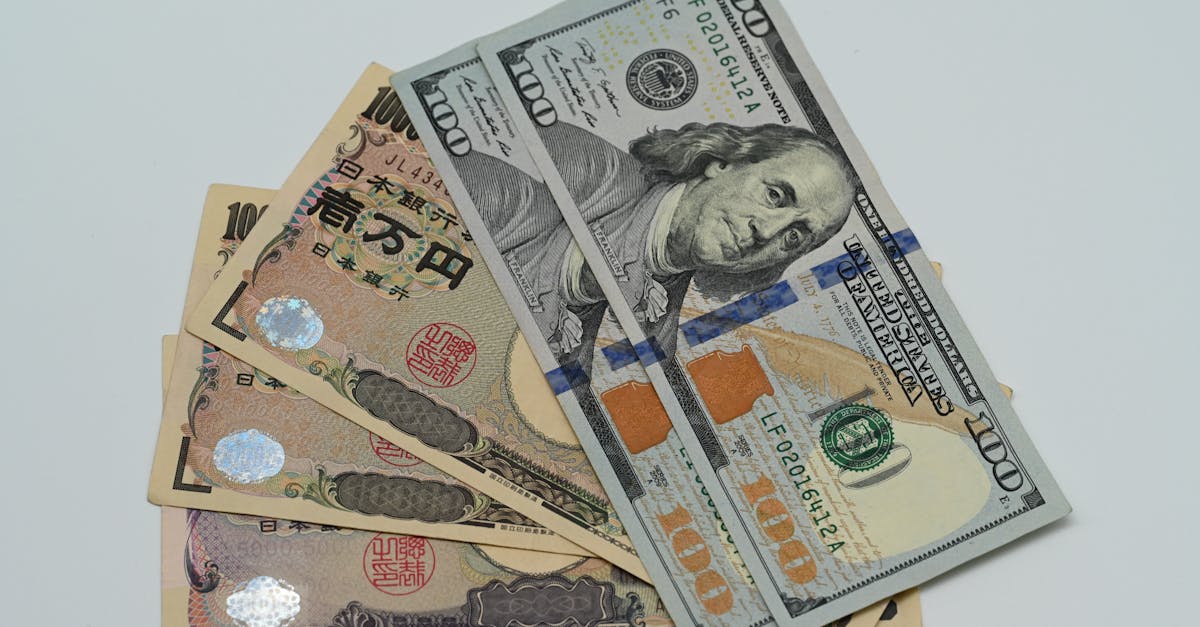
How Does a Currency Switcher Grow Print-on-Demand Sales?
A currency switcher grows print-on-demand sales by letting shoppers in Europe, the UK, and Canada see prices in their own currency, which removes the mental friction that stops overseas orders. When a price reads as normal, buyers commit faster.
Print-on-demand is naturally global. The same design on a shirt, mug, or poster appeals just as much to a shopper in Manchester or Munich as one in Miami. What breaks the experience is a price locked in a foreign currency.
A shopper in France who sees $42.00 has to stop and translate. A shopper who sees €38.99 just shops. That difference, repeated across thousands of visits, is the difference between a US-only store and one that sells across borders.
For print-on-demand sellers running an OpoShop store, a currency switcher is one of the highest-leverage additions available, because it unlocks demand that already exists without changing a single product. The designs travel. The switcher lets the prices travel too.
Why Europe, the UK, and Canada Are the Big Opportunities
Europe, the UK, and Canada are the biggest early opportunities for print-on-demand sellers because they combine strong buying power, English familiarity, and a habit of shopping from international brands. These markets are ready to buy if the price makes sense.
Consider what each market brings:
- Europe: A large bloc of high-spending shoppers, many reachable with a single euro price.
- United Kingdom: English-speaking, comfortable buying from US and Canadian stores, and expects clean pound prices.
- Canada: Culturally close to the US, familiar with US brands, and quick to buy when prices show in Canadian dollars.
These three markets often make up the bulk of a print-on-demand store's overseas traffic before any deliberate expansion. They find your designs through social media and search, land on your store, and then hit the currency wall.
Here is the scale of it. A design that sells well to US shoppers usually has fans in London, Berlin, and Toronto too. If those shoppers see €38.99, £33.99, and CA$57.99 instead of a confusing dollar figure, a meaningful share convert who otherwise would have bounced. A currency switcher in your OpoShop store is how you stop leaving that demand on the table.
What a Currency Switcher Actually Does for Shoppers
A currency switcher does two things for shoppers. It shows prices in their own currency automatically, and it lets them change currency if they want. Both make the store feel built for them.
The automatic part matters most. When a visitor from Canada lands and immediately sees CA$57.99, the store has already spoken their language. There is no menu to hunt for and no math to do. The price is just legible.
The manual switch is a nice backstop. A traveler, an expat, or anyone whose detected currency is wrong can pick the right one in a click. That flexibility prevents the frustration of being shown the wrong currency with no way to fix it.
A short example shows the effect. A shopper in Ireland finds a poster priced at €24.99, adds it to the cart, and checks out without ever thinking about exchange rates. The same poster shown only as $27.00 would have made them pause. In your OpoShop store, the switcher turns that pause into a purchase, and it does so on every product page, not just at checkout.
How to Set Up a Currency Switcher for Print-on-Demand
The best way to set up a currency switcher is to enable auto-detection, add the core currencies for your target markets, and keep prices clean and consistent. That gives European, UK, and Canadian shoppers a native experience out of the box.
Here is how the key steps work in practice.
1. Turn on auto-detection
Let the store detect a visitor's likely currency from their location or browser settings and show local prices immediately. A shopper from Germany should see euros on the homepage, not after digging through a menu. Auto-detection removes the very first click.
Pair it with a visible switcher so anyone shown the wrong currency can correct it. Detection plus override covers almost every shopper cleanly.
2. Add the three core currencies
For print-on-demand growth in these markets, add the euro, pound, and Canadian dollar first. One euro price reaches much of Europe, the pound covers the UK, and the Canadian dollar handles your closest cross-border market. In your OpoShop store, these three do most of the work.
Add the Australian dollar next if your designs travel there, then expand on data.
3. Convert live and round clean
Convert at the live rate for accuracy, then round to familiar endings. A $42.00 shirt should show as €38.99, £33.99, and CA$57.99, not as raw decimals. Clean prices look deliberate and match how each market prices apparel.
Market Comparison: Europe vs UK vs Canada
Europe, the UK, and Canada each buy print-on-demand products readily, but each market has its own price expectations and quirks. Knowing them helps you present prices that feel native.
| Market | Currency to show | Why it converts | Watch-out |
|---|---|---|---|
| Europe | Euro (EUR) | One currency reaches many high-spending countries at once | VAT expectations and comma decimals vary by country |
| United Kingdom | British pound (GBP) | English-speaking shoppers comfortable buying from abroad | Prices expected to read cleanly, like £33.99 |
| Canada | Canadian dollar (CAD) | Close to the US market and quick to buy in local dollars | Show as CA$ to avoid confusion with US dollars |
Europe is often the largest single opportunity because one euro price unlocks many countries. For a print-on-demand seller, adding the euro can open a whole continent of demand at once.
The UK is a reliable early market because British shoppers routinely buy from US and Canadian stores and just want to see clean pound prices. A tidy £33.99 reads far better than a raw conversion.
Canada is the easiest first cross-border market for US-based sellers because it is close, familiar, and quick to convert once prices show in Canadian dollars. Showing CA$ clearly keeps it distinct from US pricing. For most OpoShop merchants, these three currencies are the growth engine.
Beyond the Switcher: Making Overseas Sales Stick
A currency switcher opens the door, but a few supporting moves make overseas print-on-demand sales stick. Currency clarity is the first win, and these keep the momentum going.
- Honest shipping info: Show international shipping cost and delivery time early so the local price is not undone by a surprise later.
- Consistent pricing: Keep the converted price identical from product page to checkout so trust holds.
- Clear duty note: Tell European, UK, and Canadian shoppers whether duties are prepaid or estimated.
- Native formatting: Use each currency's proper symbol and decimal style so prices look local.
The reason these matter is that a shopper who sees €38.99 and then gets ambushed by unclear shipping still abandons. The switcher wins the price battle, and these moves win the rest of the checkout.
Print-on-demand has a natural advantage here. Fulfillment often happens through partners with facilities in multiple regions, which can shorten delivery times for European and UK shoppers. Pairing that with local pricing makes the whole experience feel domestic. A currency switcher in your OpoShop store is the front door, and honest shipping and formatting are what keep shoppers walking through it.
What We Recommend for OpoShop Merchants
For OpoShop merchants selling print-on-demand, we recommend enabling auto-detection, adding the euro, pound, and Canadian dollar, and pairing the switcher with clear shipping and duty info. That combination turns overseas browsers into buyers.
Start with three moves:
- Turn on a currency switcher with auto-detection so shoppers see local prices on arrival.
- Add EUR, GBP, and CAD first to cover your biggest overseas markets.
- Back the switcher with honest shipping and duty information so the local price sticks.
That sequence captures the demand your designs already attract in Europe, the UK, and Canada. It also keeps the experience clean, since a few well-chosen currencies feel complete without cluttering the store.
If most of your overseas traffic is European, prioritize the euro. If the UK leads, start with the pound. The right first currency is the one your traffic already points to, and the switcher lets you serve all three at once.
Best answer: A currency switcher grows print-on-demand sales in Europe, the UK, and Canada by showing shoppers prices in euros, pounds, and Canadian dollars so they buy without doing conversion math. Turn on auto-detection, add EUR, GBP, and CAD, convert at live rates, and pair it with clear shipping in your OpoShop store to turn overseas demand your designs already attract into real orders.
If you want a straightforward next step, look at how your store can add a currency switcher and start selling to Europe, the UK, and Canada in their own currencies.
FAQs
Why do print-on-demand stores benefit so much from a currency switcher?
Print-on-demand designs travel across borders naturally, so a store often attracts shoppers in Europe, the UK, and Canada without trying. A currency switcher lets those shoppers see prices in their own money, removing the conversion friction that would otherwise make them hesitate. It unlocks demand that already exists without changing any products.
Which currencies should a print-on-demand seller add first?
Start with the euro, British pound, and Canadian dollar, since these cover most early overseas demand for print-on-demand stores. One euro price reaches much of Europe, the pound serves the UK, and the Canadian dollar handles your closest cross-border market. Add the Australian dollar and others as your data shows demand.
Does a currency switcher change how I get paid?
No. A currency switcher shows converted prices to shoppers while your store still processes payment in its base currency. It changes what the shopper sees, not your payment setup. A short checkout note explaining the charge currency keeps everything transparent in your OpoShop store.
Should the switcher detect currency automatically or let shoppers choose?
Both. Auto-detection shows shoppers local prices the moment they arrive, which removes the first click, while a visible switcher lets anyone shown the wrong currency correct it. Detection plus manual override covers travelers, expats, and edge cases so every shopper sees the right price.
How should converted prices be formatted for these markets?
Format each currency the way its market expects. The euro often uses a comma like €38,99, the pound reads cleanly as £33.99, and the Canadian dollar shows as CA$57.99 to stay distinct from US dollars. Rounding to familiar endings and using the right symbols makes prices look native and trustworthy.
Is a currency switcher enough to grow overseas sales on its own?
It is the biggest single step, but pairing it with clear shipping cost, delivery estimates, and duty information makes overseas sales stick. A local price wins the shopper's attention, and honest checkout details close the sale. Together they turn European, UK, and Canadian browsers into repeat buyers.
Ready to sell your print-on-demand designs in euros, pounds, and Canadian dollars? Set it up where your customers already shop.


